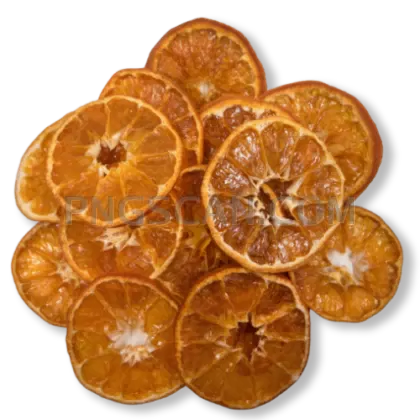
Mandarin Orange Cutout at
About Mandarin natural
This mandarin orange transparent png captures every dimple and citrus glow of a real mandarin, isolated against nothing but empty pixels. The cutout is tight and clean, so the fruit sits naturally wherever you place it — on a smoothie menu, inside a grocery flyer, or layered over a winter holiday card.
Food bloggers love dropping a mandarin into flat-lay compositions without fighting the eraser tool. If you're building a nutrition app or putting together a school project about vitamin C sources, this single fruit graphic saves you the annoying step of masking out a busy background yourself. You might also like Mandarin.
One practical move: pair this mandarin with a subtle drop shadow in your editor to ground it on lighter layouts. Because the edges are already crisp, a 2-pixel soft shadow at about 30% opacity makes the fruit pop without looking pasted on. Works great for product label mockups and social posts alike. You might also like Mandarin 1254x782.
The image is sized at 500×500 pixels, which keeps the file light while still looking sharp on web pages and mobile screens. It's provided under a free-use license for personal and commercial projects — just avoid redistributing the PNG itself as a standalone download on another site. Explore more Mandarin PNG images in our gallery.
Frequently Asked Questions
Answers about this Mandarin natural PNG — transparent background, size, download, and permitted use.
At 500×500 pixels, this mandarin PNG works best for digital uses like websites, apps, and social media. For print, you'd want a higher-resolution version — this size prints cleanly up to about 1.7 inches at 300 DPI, so it suits small label accents but not full-page layouts.
Yes. The free license covers both personal and commercial use, so you can place it in blog headers, recipe cards, or even sponsored content. Just don't repackage the PNG file itself for download on another stock site.
Open the PNG in any editor that supports layers. Add a new layer beneath the mandarin, paint a soft dark ellipse under it, then lower the opacity to around 25–35%. This mimics a natural table shadow and keeps the fruit from looking like it's floating.
Absolutely. Both Canva and Google Slides preserve PNG transparency when you upload. Drag this mandarin onto any slide or design canvas and the background stays invisible — no extra editing steps needed.
More from the Mandarin Collection
Related Transparent PNG Images

Steal a Brainrot 566x459

Steal a Brainrot – Square Cutout Edition

Steal a Brainrot 1024x1024

Steal a Brainrot – Compact Meme

Steal a Brainrot – Mini Sticker Format


