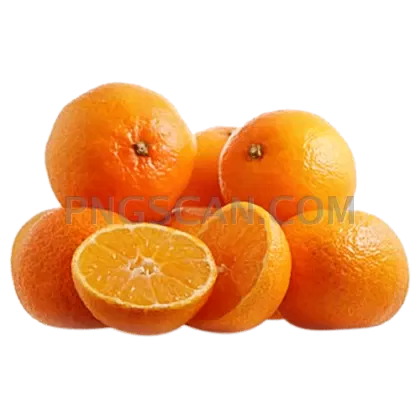
Mandarin — Juicy Citrus Cutout on
About Mandarin
This mandarin png is one of those grab-and-go assets you didn't know you needed until you see it. The cutout captures the fruit's natural orange glow and subtle skin texture against a fully transparent background, so it blends into any canvas without a single pixel of cleanup. It's the kind of image that makes a smoothie menu or a nutrition infographic pop instantly.
Food bloggers toss it into recipe card headers. Grocery store designers drop it onto weekly flyer layouts. Teachers use it in fruit-themed worksheets for kids. Even app developers working on health-tracking interfaces find a clean citrus cutout like this surprisingly handy — it reads well at small sizes and still looks sharp when scaled up on a tablet screen.
Quick practical tip: because the background is already gone, you can layer this mandarin over a gradient, a photo, or solid color without masking anything. Try placing it slightly off-canvas for a modern "bleeding edge" look on social posts — it draws the eye way more than a centered fruit ever will. Pair it with a mandarin orange clipart leaf element and you've got an instant brand-worthy composition.
The image measures 500x500 pixels, which hits a sweet spot for web use, thumbnails, and mid-size print elements. It's offered under a free license for personal and commercial projects — just avoid redistributing the file as-is on other stock sites, and you're good to go. Explore more Mandarin PNG images in our gallery.
Frequently Asked Questions
Answers about this Mandarin PNG — transparent background, size, download, and permitted use.
It's 500×500 pixels — a square format that works great for product cards, social media posts, and icon-sized placements without awkward cropping.
Yes. The image comes with a free license that covers both personal and commercial use. Just don't repackage and sell the PNG itself on another download site.
Absolutely. Since it's a standard PNG with alpha transparency, you can import it directly into Canva, Figma, Photoshop, or any editor that supports PNG files — no extra editing needed.
At 500×500 it holds up well for web and mid-resolution print. If you need it larger than about 7 inches at 72 dpi, consider running it through an AI upscaler first to keep the details crisp.
More from the Mandarin Collection
Related Transparent PNG Images

Steal a Brainrot 566x459

Steal a Brainrot – Square Cutout Edition

Steal a Brainrot 1024x1024

Steal a Brainrot – Compact Meme

Steal a Brainrot – Mini Sticker Format


