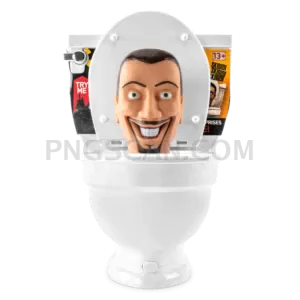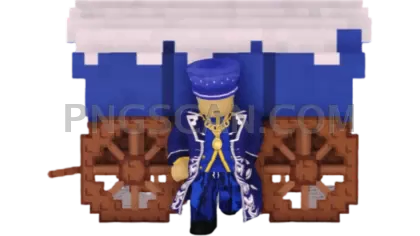
Roblox Steal a Brainrot
About Roblox Steal a Brainrot
This roblox steal a brainrot 1920x1080 png cutout is the widescreen version you've probably been hunting for. Most Steal a Brainrot PNGs floating around are square-ish or tiny — this one fills a full 1920x1080 frame with a clean transparent background, so the character pops without any awkward white box behind it.
Roblox content creators and meme lords will get the most mileage here. Drop it into a YouTube thumbnail, slap it on a stream overlay, or use it as a desktop wallpaper layer with your own custom background underneath. It's also solid for Discord banners and fan edits where you need that wide aspect ratio to actually fit the canvas. You might also like Steal a Brainrot – Square Cutout Edition.
Quick tip: since this is a widescreen cutout, it pairs perfectly with 16:9 templates. Open it in Canva, Photopea, or Photoshop, toss a gradient or game screenshot behind it, and you've got a clean thumbnail or banner in under a minute. No need to resize or stretch anything — it's already the right shape. You might also like Steal a Brainrot – Compact Meme.
The file is 1920×1080 pixels with a transparent background in PNG format. Colors are natural and unfiltered straight from the source render. As with all fan-use assets, keep it to personal projects, fan pages, and non-commercial content to stay on the right side of Roblox's IP guidelines. Explore more Steal a Brainrot PNG images in our gallery.
Frequently Asked Questions
Answers about this Roblox Steal a Brainrot PNG — transparent background, size, download, and permitted use.
It matches the standard Full HD widescreen ratio, so it drops straight into YouTube thumbnails, desktop wallpapers, and stream scenes without cropping or stretching. Smaller versions often need upscaling, which makes edges blurry.
Yes — the transparent background means you can layer it over gameplay footage, meme compilations, or intro sequences in any video editor that supports PNG overlays, like DaVinci Resolve, CapCut, or Premiere.
It will. The cutout has clean edges with no leftover fringe, so it looks sharp whether you place it on a black stream overlay, a bright gradient, or a busy game screenshot.
Because it's a cutout with large transparent areas, the file compresses well and typically stays lightweight despite the high resolution — usually well under a few MB, so it loads fast and won't bloat your project files.
More from the Steal a Brainrot Collection



Related Transparent PNG Images
Skibidi Toilet
Skibidi Toilet 1300x1300
Skibidi Toilet 1280x1260
Skibidi Toilet 1000x1000
Skibidi Toilet 960x1452