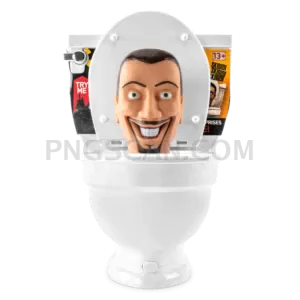
Roblox Steal a Brainrot Square
About Roblox Steal a Brainrot
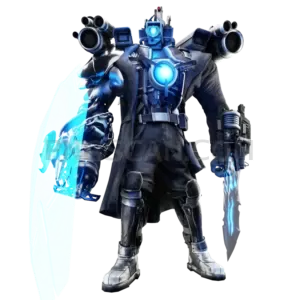
Here's the thing about most game PNGs — they're weirdly shaped rectangles that never quite fit where you need them. This steal a brainrot roblox 420x420 free png is different because it's a clean square cutout on a transparent background, which means it slots right into profile frames, Discord avatars, and thumbnail grids without you having to fight with cropping tools.
Roblox fans making montage videos, meme edits, or fan wikis tend to grab images like this one the most. It's also handy if you're putting together a Steal a Brainrot tier list graphic or just want to slap the character onto a custom wallpaper. The square format keeps things simple when you're working with social media templates that expect 1:1 ratios. You might also like Steal a Brainrot – Square Cutout Edition.
Quick tip: since this is already 420×420, you can scale it down for small icons without losing clarity, but scaling up past 500px will start looking fuzzy. If you need it bigger, pair it with an AI upscaler like Waifu2x first — that'll keep the edges sharp instead of turning everything into pixel soup. You might also like Steal a Brainrot – Compact Meme.
The file comes in at 420×420 pixels with natural colors and a fully transparent background, so there's no white box hiding behind the character. Use it freely for personal projects, fan art, and non-commercial stuff. Just keep in mind that Roblox and Steal a Brainrot branding belongs to their respective creators, so commercial use isn't the move here. Explore more Steal a Brainrot PNG images in our gallery.
Frequently Asked Questions
Answers about this Roblox Steal a Brainrot PNG — transparent background, size, download, and permitted use.
This particular cutout was exported at 420×420 pixels, making it a perfect 1:1 square. That's intentional — it fits directly into profile picture frames, avatar slots, and social media grids without needing any manual cropping or resizing.
Yes, the square dimensions and transparent background make it ideal for profile pictures. Just upload it and the transparent areas will adapt to whatever background color the platform uses behind it.
It works in any app that supports PNG transparency — Photoshop, GIMP, Canva, Google Slides, CapCut, and most phone-based editors. If an app shows a white background instead, it likely converted the file to JPG on import.
At 420×420 pixels it'll print cleanly at about 1.4 inches square at 300 DPI. That's fine for small stickers or badges, but for anything larger you'd want to upscale it first to avoid blurry edges on the print.
More from the Steal a Brainrot Collection



Related Transparent PNG Images
Skibidi Toilet
Skibidi Toilet 1300x1300
Skibidi Toilet 1280x1260
Skibidi Toilet 1000x1000

Skibidi Toilet 960x1452