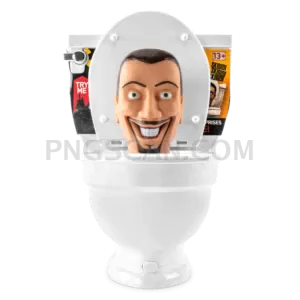
Grab This Pocket-Sized Brainrot Cutout for Your Next Edit
About Roblox Steal a Brainrot – Tiny Square Icon
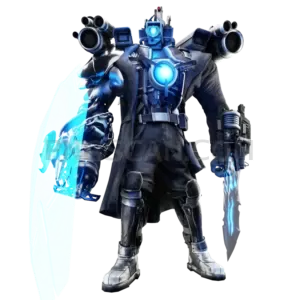
This Roblox Steal a Brainrot cutout captures the chaotic meme energy in a tight 420×420 frame. It's the kind of image that shows up in group chats at 2 AM and somehow becomes everyone's profile picture by morning. Clean edges, no background noise — just the character isolated and ready to drop into any project.
Meme lords and Roblox fans tend to grab images like this for Discord server icons, Steam profile pics, or quick reaction images. It also works surprisingly well as a sticker overlay in TikTok edits. If you run a fan page or meme account, this compact format slots right in without needing to resize anything.
Try layering it over a gradient in Canva for an instant avatar upgrade. In Figma, you can mock up merch concepts — slap it on a hoodie template and see how it looks. For school presentations in Google Slides, it adds some personality without eating up half the slide. The square ratio keeps things balanced.
File format is PNG with a transparent background, sized at 420×420 pixels. That's compact enough for web use but still sharp on screens. Available for personal, fan, editorial, or creative use where permitted. Hit download and it's yours — no signup wall, no watermark drama. Explore more Steal a Brainrot PNG images in our gallery.
Frequently Asked Questions
Answers about this Roblox Steal a Brainrot – Tiny Square Icon PNG — transparent background, size, download, and permitted use.
It's optimized for small-format uses like avatars, icons, and reaction images. The 420×420 size loads faster and fits neatly into profile picture frames on Discord, Roblox, and social platforms without any cropping needed. Larger versions work better for posters or prints.
For personal fan content, yes — it works great as a thumbnail element or stream overlay. Commercial use depends on the intellectual property involved since this features a Roblox game character. If you're monetizing content, check Roblox's community usage guidelines to stay safe.
You'll get a single PNG file at 420×420 pixels with a fully transparent background. No JPEG compression artifacts, no white border remnants. It's ready to layer directly in Photoshop, Canva, or Figma without any extra cleanup work on your end.
At 420×420, you'll start seeing pixel softness if you push it past about 600 pixels wide. For posters or large prints, grab one of the higher-resolution versions available in this collection. This size is best kept for digital screen use and small-format projects.
More from the Steal a Brainrot Collection



Related Transparent PNG Images
Skibidi Toilet
Skibidi Toilet 1300x1300
Skibidi Toilet 1280x1260
Skibidi Toilet 1000x1000

Skibidi Toilet 960x1452