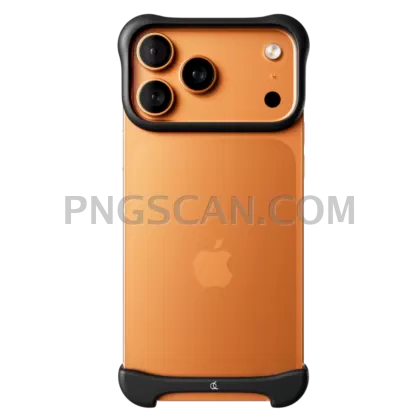
iPhone 17 Pro Max Orange Cutout at
About iPhone 17
This iphone 17 png 1024x1024 gives you the Pro Max in its striking orange colorway, cut out against a fully transparent background. The square 1024×1024 format means it drops perfectly into Instagram posts, thumbnail grids, and app store mockups without any awkward cropping or resizing headaches.
Tech bloggers building comparison graphics, students putting together class presentations, or anyone mocking up a phone case design — that's who reaches for a file like this. The orange Pro Max variant is especially handy when you want to show off color options side by side or just need a bold product visual that pops against any backdrop you choose. You might also like iPhone 17 Pro Max Orange 600x1224.
Quick tip: because this PNG sits at exactly 1024×1024, it works beautifully as a centered hero element inside a 1080×1080 social post. Add a colored square behind it, drop in some text, and you've got a polished graphic in under two minutes. No Photoshop wizardry required — even Canva handles it perfectly. You might also like iPhone 17.
The file weighs in at 1024×1024 pixels with a transparent background, so it stays crisp on screens without being unnecessarily heavy. Use it freely for personal projects, fan blogs, and non-commercial editorial work. If you're planning commercial use, double-check Apple's trademark guidelines first to stay on the safe side. Explore more iPhone 17 Pro Max Orange PNG images in our gallery.
Frequently Asked Questions
Answers about this iPhone 17 PNG — transparent background, size, download, and permitted use.
The square format gives extra transparent space around the device, making it easier to position inside social media templates, app icons, and grid layouts without needing to add padding yourself.
The image uses standard sRGB color, so the orange finish will display consistently across most monitors, tablets, and phones. Slight shifts can happen on uncalibrated displays, but it stays true to the Pro Max orange tone.
Absolutely. Scaling down from 1024×1024 to something like 512×512 or 256×256 keeps the image sharp. Scaling up past the original size is where you'd start seeing softness, so this resolution works best at its native size or smaller.
At 1024×1024 pixels it prints cleanly up to about 3.4 inches at 300 DPI — fine for stickers, small cards, or catalog inserts. For large-format prints like posters, you'd want a higher-resolution source file.
More from the iPhone 17 Pro Max Orange Collection
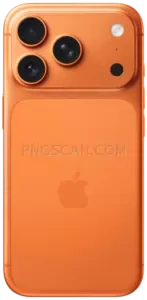
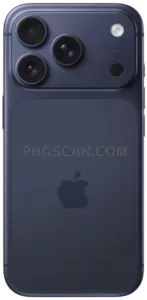
Related Transparent PNG Images

Steal a Brainrot 566x459

Steal a Brainrot – Square Cutout Edition

Steal a Brainrot 1024x1024

Steal a Brainrot – Compact Meme

Steal a Brainrot – Mini Sticker Format


