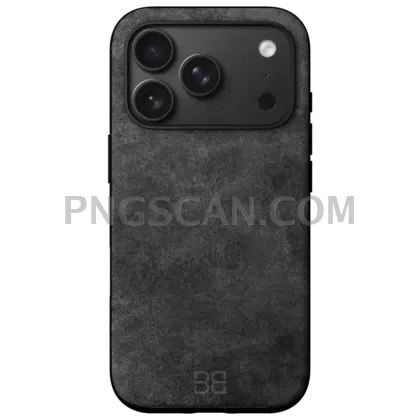
iPhone 17 Pro Max Orange –
About iPhone 17
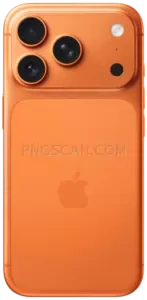
This iphone 17 png 2048x2048 gives you the Pro Max in its stunning Orange colorway, cleanly cut out against a transparent background. Every curve, every camera lens detail, every subtle color shift on that orange titanium frame comes through at full sharpness — no fuzzy edges, no leftover background artifacts. It's the kind of asset you open once and immediately drag into three different projects.
App developers building App Store screenshots love square PNGs like this because they slot right into device frame templates without extra cropping. YouTube thumbnailers grab it to flex the latest Apple hardware in their visuals. Even folks putting together pitch decks or blog headers find a clean isolated iPhone cutout saves them an hour of manual masking work. You might also like iPhone 17 Pro Max Orange 600x1224.
Quick tip: since this is a true square at 2048×2048, you can scale it down proportionally to 1024, 512, or 256 without doing any math on aspect ratios. Drop it into Figma or Canva, resize with the lock icon on, and the quality holds up beautifully at every step. If you need it on a colored background, just toss a solid rectangle behind it — the transparent background PNG handles the rest. You might also like iPhone 17.
The file weighs in at 2048×2048 pixels in PNG format with full alpha transparency. It's suitable for personal projects, fan content, educational presentations, and non-commercial creative work. Always double-check usage rights if you plan to include it in anything sold commercially. Explore more iPhone 17 Pro Max Orange PNG images in our gallery.
Frequently Asked Questions
Answers about this iPhone 17 PNG — transparent background, size, download, and permitted use.
At 2048×2048, the image is large enough for print-quality mockups and retina displays but still a perfect square, so it scales down cleanly to common sizes like 1024×1024 or 512×512 without cropping or distortion.
The render uses natural color tones that closely match Apple's Orange finish. Keep in mind that monitor calibration can shift how it looks on your screen, so it may appear slightly warmer or cooler depending on your display settings.
Yes. The transparent background means you can drop it onto white, black, gradients, or even textured surfaces and the edges will blend cleanly without any visible halo or fringe.
It's great for app showcase mockups, social media graphics, YouTube thumbnails, blog post headers, and school or work presentations where you want to feature the device without a distracting background.
More from the iPhone 17 Pro Max Orange Collection
Related Transparent PNG Images

Steal a Brainrot 566x459

Steal a Brainrot – Square Cutout Edition

Steal a Brainrot 1024x1024

Steal a Brainrot – Compact Meme

Steal a Brainrot – Mini Sticker Format


