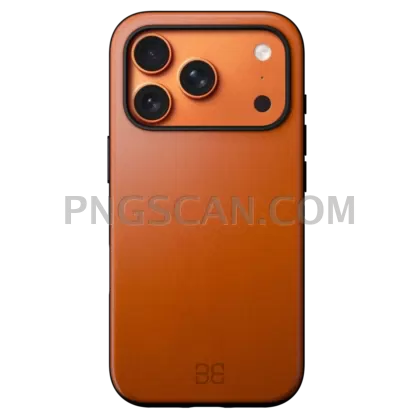
iPhone 17 Pro Max Orange Isolated Cutout — Square 2048px
About iPhone 17
The orange finish on this handset is the whole reason to grab it. Warm metal, clean edges, nothing behind it — this iphone 17 isolated cutout png 2048x2048 is a perfect square, so it lands in a social feed slot without you nudging the crop by a single pixel. The natural color hasn't been pushed or filtered, which means the phone still looks like the phone.
Shop owners building listing tiles reach for square crops first. So do people making YouTube thumbnails, Reels covers, quick price-comparison graphics, or a slide for a class about phone cameras. Because it's a square isolated crop, it also tiles neatly into 2×2 grids when you want to show several colorways side by side. You might also like iPhone 17 Pro Max Orange 600x1224.
Small trick: place the cutout slightly off-center and let it break one edge of your frame. Square layouts get boring fast when the subject sits dead middle. A soft shadow underneath — 20% opacity, blurred wide — is usually enough to stop it floating like a sticker. You might also like iPhone 17.
At 2048x2048 you've got room to crop in on the camera bump or the side rail and still keep it sharp on retina screens. Edges are alpha-cut, no white halo. Apple owns the iPhone name and design, so keep use to personal projects, fan edits, mockups, and commentary — not merch or anything claiming an official link. Explore more iPhone 17 Pro Max Orange PNG images in our gallery.
Frequently Asked Questions
Answers about this iPhone 17 PNG — transparent background, size, download, and permitted use.
Yes — 2048 pixels wide by 2048 pixels tall, 1:1. It drops into Instagram feed posts, album art slots, and marketplace thumbnails with no re-cropping needed.
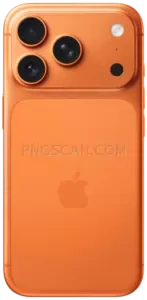
It's the iPhone 17 Pro Max in the orange finish, kept at its natural tone rather than color-boosted, so it matches how the device looks in real product shots.
They should. The cutout uses a real alpha channel, not a white-matte trick, so the orange body sits fine on black, gradients, or photo backdrops without a pale outline.
Scaling 2048×2048 down to 512 or 256 works well and stays crisp. Scaling up past 2048 will soften the camera and rail details, so start big and go smaller.
More from the iPhone 17 Pro Max Orange Collection
Related Transparent PNG Images

Steal a Brainrot 566x459

Steal a Brainrot – Square Cutout Edition

Steal a Brainrot 1024x1024

Steal a Brainrot – Compact Meme

Steal a Brainrot – Mini Sticker Format


