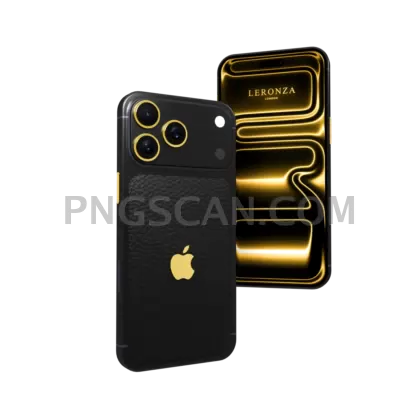
iPhone 17 Pro Max in Natural Titanium — Clean Square
About Apple iPhone 17 Pro Max natural
That warm grey-beige titanium is tricky to shoot and even trickier to cut out — the edges catch light and blur into whatever is behind them. This apple iphone 17 pro max natural png skips all of that. The body is separated from its background pixel by pixel, so the camera plateau, the frame chamfer and the button gaps all stay crisp when you drop it onto a colored card or a photo.
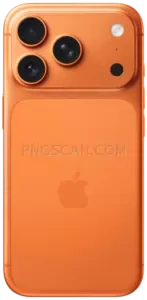
People grab this one for app store screenshots, pitch decks where a phone needs to hold a UI shot, tutorial thumbnails, and simple product-style banners for a portfolio. It also works as a scale reference when you're mocking up a case design or a phone stand render. Square framing means it slots into Instagram posts without a crop fight. You might also like iPhone 17 Pro Max Orange 600x1224.
One quick trick: because the natural colorway is so light, it disappears against white or cream backdrops. Add a soft grey shadow under the device or set the canvas to a mid-tone — even a light beige at 15% darker gives the natural titanium finish enough separation to read as an object rather than a smudge. You might also like iPhone 17.
The file is 2000x2000 pixels, square, with a real alpha channel — plenty of room to scale down for web without softening the edges. Marked free license here, but Apple's product design and trademarks remain theirs, so keep use to personal projects, mockups, fan work, and study pieces rather than merchandise or anything suggesting an official tie-in.
This is a square 2000x2000 cutout built for reuse across sizes. Explore more iPhone 17 Pro Max Orange PNG images in our gallery.
Frequently Asked Questions
Answers about this Apple iPhone 17 Pro Max natural PNG — transparent background, size, download, and permitted use.
It's 2000x2000 pixels — a perfect square. That's large enough to fill a 4K slide at full height, and it downscales cleanly to 500px thumbnails without the titanium edges going fuzzy.
Natural titanium is a pale warm grey, so it blends into white canvases. Drop a soft drop shadow beneath it, or switch your background to a mid grey, deep green, or muted orange to make the frame pop.
Yes — the display area is a flat surface, so place your UI screenshot on a layer above, mask it to the screen shape, and lower opacity slightly on a glare layer for realism. This is exactly what the 2000x2000 resolution gives you room for.
No. This asset sits inside the iPhone 17 Pro Max Orange collection but shows the natural finish specifically. If you want the orange body, browse the sibling files in the same collection.
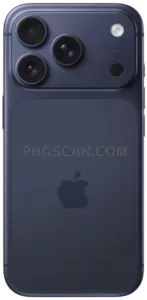
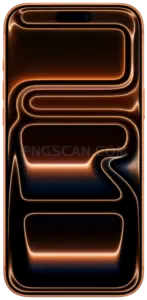
More from the iPhone 17 Pro Max Orange Collection
Related Transparent PNG Images

Steal a Brainrot 566x459

Steal a Brainrot – Square Cutout Edition

Steal a Brainrot 1024x1024

Steal a Brainrot – Compact Meme

Steal a Brainrot – Mini Sticker Format


