
2026 Calendar Cutout at — Natural Tones,
About Calendar 2026
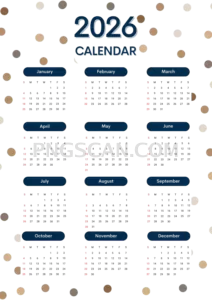
This calendar 2026 2121x3000 free png is one of those files you save once and reach for all year. It's a clean cutout on a fully transparent background, rendered in soft, natural colors that won't clash with whatever you pair it with. The portrait orientation at 2121×3000 gives you plenty of vertical real estate — think phone wallpapers, story-sized graphics, or tall print inserts.
Bloggers drop it into sidebar widgets so readers can glance at upcoming dates without leaving the page. Small shop owners paste it onto promotional flyers to highlight sale weekends. Even teachers have used similar cutouts on classroom handouts because the transparent background means it sits neatly over any colored paper or digital slide. You might also like Calendar 2026.
One trick that works well: open the file in any editor that supports layers, place it over a branded background, then lower the opacity slightly. You get a subtle calendar watermark that keeps your design front and center while the dates stay readable. Because the resolution is generous, you can also crop to individual months without losing sharpness.
The image measures 2121×3000 pixels in PNG format with transparency baked in, so there are no white edges to trim. It's sourced from the Calendar 2026 collection on pngscan.com and is free for personal and non-commercial creative projects. Double-check licensing terms on the site if you plan to use it in anything sold commercially. Explore more Calendar 2026 PNG images in our gallery.
Frequently Asked Questions
Answers about this Calendar 2026 PNG — transparent background, size, download, and permitted use.
At 2121×3000 this cutout fits a tall portrait ratio close to standard phone screens and A-series print dimensions. If your project is vertical — stories, flyers, phone wallpapers — this size needs almost no resizing, which keeps the text on each month crisp.
Yes. The natural color palette and transparent background mean it layers cleanly over both light and dark surfaces. On darker backgrounds the softer tones actually pop more, so contrast stays comfortable for reading dates.
Each month occupies roughly 2121×250 pixels after cropping, which is more than enough for on-screen use and decent for small print. You'll only notice softness if you blow a single month up beyond about 200% of its cropped size.
Any app that supports PNG transparency works — Photoshop, GIMP, Canva, Figma, Google Slides, and even PowerPoint. Just drag the file onto your canvas and the transparent areas stay see-through automatically.
More from the Calendar 2026 Collection
Related Transparent PNG Images

Steal a Brainrot 566x459

Steal a Brainrot – Square Cutout Edition

Steal a Brainrot 1024x1024

Steal a Brainrot – Compact Meme

Steal a Brainrot – Mini Sticker Format


