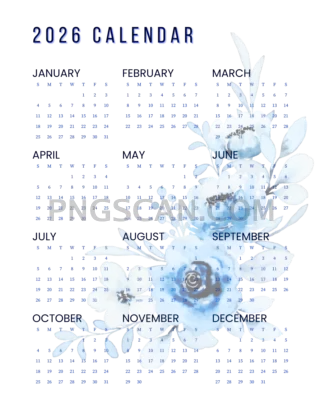
2026 Calendar Cutout —
About Calendar 2026
This 2026 calendar 2318×3000 transparent png gives you the entire year in one tall, detailed image. The natural color palette keeps things readable without clashing with your project's style, and the transparent background means it sits cleanly on photos, slides, or poster mockups with zero white-box awkwardness.
Bloggers drop it into sidebar graphics. Small business owners paste it onto branded wallpapers for clients. Students tack it into digital planners or Notion covers. If you've ever needed a quick at-a-glance year view inside a design, this is the file that saves you from building one from scratch. You might also like Calendar 2026.
Because the cutout edges are already clean, you can resize it down for social posts or keep it at full resolution for print-quality layouts. A quick tip: place it on a semi-transparent dark rectangle first — the natural tones pop nicely against a subtle backdrop, and it keeps the text legible even over busy photos.
The image measures 2318×3000 pixels, which gives you a roughly 3:4 portrait ratio — great for A4-style compositions. As with any PNG from this collection, double-check usage rights for commercial work and you're good to go. Explore more Calendar 2026 PNG images in our gallery.
Frequently Asked Questions
Answers about this Calendar 2026 PNG — transparent background, size, download, and permitted use.
The 2318×3000 version has a near-3:4 ratio that fits portrait layouts like phone wallpapers, A4 prints, and vertical social stories better than the wider landscape options. It's also sharp enough for mid-size prints without being an oversized file.
Yes — that's exactly what the transparent background is for. Drop it onto any image in Canva, Photoshop, or Figma and it blends right in. Adding a slight drop shadow helps it stand out on lighter photos.
The tones are muted and neutral, so they pair well with most color schemes. If you need an exact match, you can apply a color overlay or hue shift in any image editor without losing the cutout quality.
More from the Calendar 2026 Collection

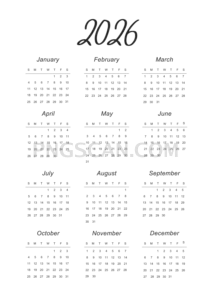
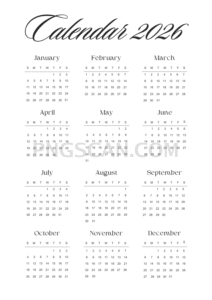
Related Transparent PNG Images

Steal a Brainrot 566x459

Steal a Brainrot – Square Cutout Edition

Steal a Brainrot 1024x1024

Steal a Brainrot – Compact Meme

Steal a Brainrot – Mini Sticker Format


