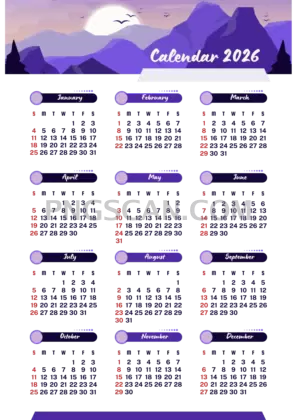
2026 Calendar Cutout – Portrait Style at
About Calendar 2026
This 2026 calendar 2580x3648 cutout transparent png is one of those images you didn't know you needed until you see it in action. It's a clean, portrait-oriented full-year calendar with natural colors that blend into virtually any layout — whether that's a phone wallpaper mock-up, a printable planner page, or a social media post announcing next year's schedule. The transparent background means you literally drag, drop, and you're done.
People who put together yearly planners, event announcements, and branded presentations reach for assets like this constantly. Think about a school posting its 2026 academic timeline, a small business owner mapping out quarterly goals in a slide deck, or someone building a personal vision board in Canva. Having the calendar already cut out saves a surprising amount of fiddly editing time. You might also like Calendar 2026.
Quick practical tip: because this is a tall portrait file, it pairs beautifully with vertical formats — Instagram Stories, Pinterest pins, or A4/letter-sized print layouts. Layer it over a photo, a gradient, or a solid color and adjust opacity if you want a subtler watermark-style effect. The natural color palette keeps it readable without clashing with your background choice. You might also like Calendar 2026 2640x1485.
On the tech side, the image measures 2580×3648 pixels, which gives you plenty of resolution for both screen and print use at reasonable sizes. File is PNG with full transparency baked in. As always, double-check the license on the download page for your specific use case — personal and fan projects are generally safe, but commercial use may have its own terms. Explore more Calendar 2026 PNG images in our gallery.
Frequently Asked Questions
Answers about this Calendar 2026 PNG — transparent background, size, download, and permitted use.
This version is specifically 2580×3648 pixels in portrait orientation with a natural color scheme. Other listings may share similar dimensions but differ in color treatment, layout style, or exact pixel count. Always match the resolution to your project needs.
Yes. At 300 DPI, it prints cleanly at roughly 8.6×12.2 inches, which is close to a standard letter-size page. For larger prints you may notice some softness, so it works best at that size or smaller.
Since the background is already transparent, just place the PNG layer above your background in any image editor — Photoshop, GIMP, Canva, Figma, etc. Resize or reposition as needed. No erasing or masking required.
The cutout is offered for personal and creative use. If you plan to use it in a commercial product like a printed planner for sale, review the specific license terms on the download page to make sure you're covered.
More from the Calendar 2026 Collection
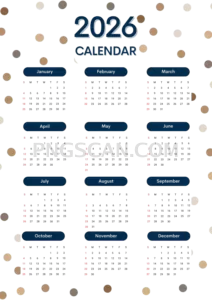
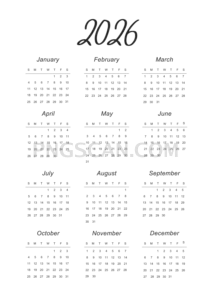
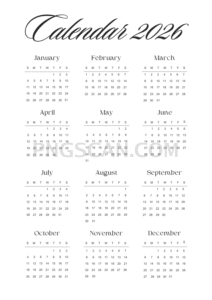
Related Transparent PNG Images

Steal a Brainrot 566x459

Steal a Brainrot – Square Cutout Edition

Steal a Brainrot 1024x1024

Steal a Brainrot – Compact Meme

Steal a Brainrot – Mini Sticker Format


