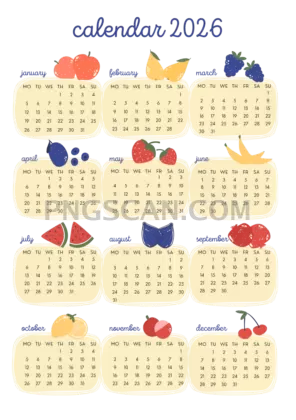
2026 Calendar Cutout — Portrait
About Calendar 2026
This 2026 calendar 2778×3929 cutout free png gives you a complete yearly view at portrait resolution, sitting on a fully transparent background. The natural color palette keeps things readable without clashing with whatever design you place it over — whether that's a vision board mockup, a digital planner spread, or a presentation slide that actually looks put together.
Bullet journal creators and Notion template builders will get the most mileage here. Drop it into a planner cover page, overlay it on a desktop wallpaper for quick date checks, or paste it into a client proposal so deadlines are visible at a glance. The portrait 2778×3929 dimensions make it a natural fit for phone wallpapers and vertical social posts too. You might also like Calendar 2026.
Quick practical note: since the background is already removed, you can resize this down for smaller uses without losing the clean edges. Try placing it at 50% scale over a textured background in Canva or Photoshop — the transparent cutout stays crisp and the calendar text remains legible even at reduced size.
At 2778×3929 pixels you're working with enough resolution for quality A4 or letter-size prints at roughly 230 DPI. The file is free for personal and non-commercial creative projects. If you're planning commercial use, double-check the license details on the download page to stay on the safe side. Explore more Calendar 2026 PNG images in our gallery.
Frequently Asked Questions
Answers about this Calendar 2026 PNG — transparent background, size, download, and permitted use.
This version has a unique portrait aspect ratio that sits taller and narrower than most of the other calendar cutouts. At 2778×3929 it's sized almost perfectly for phone lock screens and vertical print layouts, whereas wider versions suit landscape formats better.
Yes. At 2778×3929 pixels you get around 230 DPI on an A4 sheet, which is sharp enough for clean text and readable month grids. For best results, print on white or light-colored paper since the background is transparent and won't fill in automatically.
Open your background image in any editor that supports layers — Photoshop, GIMP, Canva, or even Google Slides. Import the calendar PNG as a new layer and position it where you want. The transparent background means only the calendar graphic shows, with no white box around it.
It's free for personal and non-commercial creative projects like digital journals, mood boards, and personal planners. If you're selling templates or using it in a product, check the specific license terms on the download page first.
More from the Calendar 2026 Collection
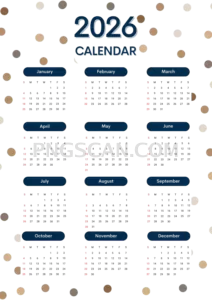
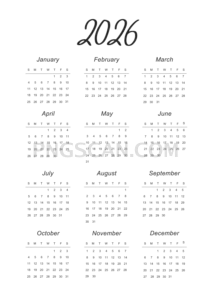
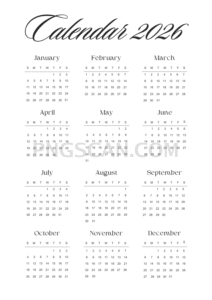
Related Transparent PNG Images

Steal a Brainrot 566x459

Steal a Brainrot – Square Cutout Edition

Steal a Brainrot 1024x1024

Steal a Brainrot – Compact Meme

Steal a Brainrot – Mini Sticker Format


