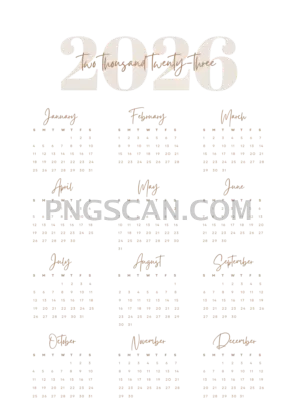
2026 Calendar in Portrait Format — Cutout Ready for Your Projects
About Calendar 2026
Here's a 2026 calendar 2580x3648 png free cutout that actually looks good without fussing around in Photoshop. The natural color scheme keeps things readable and clean, and since it sits on a fully transparent background, you can slap it onto any poster, planner page, or slide deck without white-box ugliness showing up.
Teachers building classroom materials, small business owners prepping branded planners, or anyone putting together a personal journal layout — this is the kind of file you keep in your toolkit folder. It works equally well printed at high quality or scaled down for a digital wallpaper sidebar. You might also like Calendar 2026.
A quick practical tip: because the portrait orientation is taller than it is wide, it pairs perfectly with A4 or letter-size documents. Drop it into Canva, Affinity Publisher, or even Google Slides and it fills the frame without awkward cropping.
Tech details worth knowing: the file is 2580×3648 pixels, which gives you roughly 8.6×12.2 inches at 300 DPI — plenty sharp for physical prints. Transparent background means no extra masking steps. Use it for personal and non-commercial projects; check the license page if you plan commercial use. Explore more Calendar 2026 PNG images in our gallery.
Frequently Asked Questions
Answers about this Calendar 2026 PNG — transparent background, size, download, and permitted use.
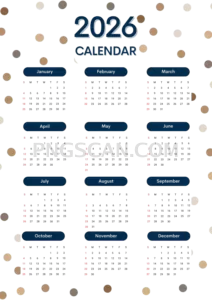
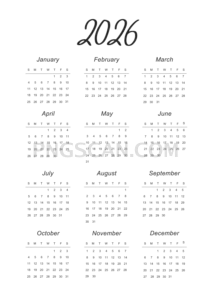
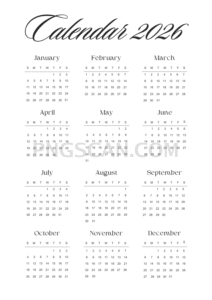
One pixel wider might sound trivial, but it indicates a different source design with its own color palette and layout style. Compare the thumbnails — you'll notice different month grid arrangements and accent colors.
Absolutely. At 2580×3648 pixels you get clean 300 DPI output up to about 8.6×12.2 inches. That covers standard letter and A4 paper with sharp text and lines.
The natural color palette uses earthy tones that sit well on dark surfaces. If contrast feels low, add a subtle semi-transparent white shape behind the calendar before layering it in.
PNGs are flat images, so you can't edit individual text. However, you can overlay colored circles or markers on top of specific dates using any basic image editor or design app like Canva or Figma.
More from the Calendar 2026 Collection
Related Transparent PNG Images

Steal a Brainrot 566x459

Steal a Brainrot – Square Cutout Edition

Steal a Brainrot 1024x1024

Steal a Brainrot – Compact Meme

Steal a Brainrot – Mini Sticker Format


