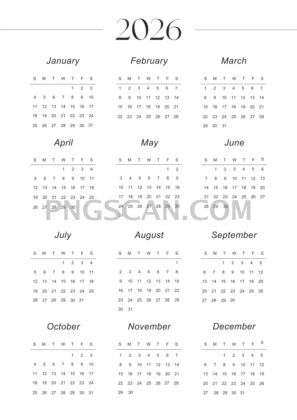
2026 Calendar Cutout in Portrait Resolution
About Calendar 2026
This 2026 calendar transparent png 2652x3750 cutout is the kind of asset you save once and reach for all year long. The portrait layout fills vertical space beautifully, whether you're mocking up a wall poster, building a digital planner spread, or dropping it into a presentation slide. Natural colors keep it versatile — no neon surprises, just clean month-by-month readability on a fully transparent background.
Teachers assembling classroom handouts, small-business owners prepping social posts, and hobbyists designing custom journals all benefit from a calendar that layers instantly over any backdrop. Because the background is already removed, you skip the tedious masking step and jump straight to the creative part. It pairs especially well with textured paper backgrounds or branded color blocks. You might also like Calendar 2026.
Quick practical tip: if you need a smaller version for web use, scale it down proportionally and export at 72 dpi — the tall 2652×3750 source gives you plenty of pixel headroom so nothing looks soft after resizing. For print, the native resolution already sits comfortably above 300 dpi at roughly 8.8×12.5 inches, so poster-quality output is totally doable.
On the tech side, the file delivers at 2652×3750 pixels in PNG with full alpha transparency. That means no white box lurking behind the months — just the calendar graphic itself. Please note this image is intended for personal and non-commercial fan projects; always double-check usage rights before including it in anything sold commercially. Explore more Calendar 2026 PNG images in our gallery.
Frequently Asked Questions
Answers about this Calendar 2026 PNG — transparent background, size, download, and permitted use.
This specific variant is a portrait-oriented file at 2652×3750 pixels, giving you a slightly wider aspect ratio than many of the other tall options. It's ideal when you need a calendar that fills a standard letter or A4 page with a bit of breathing room on the sides.
Yes. At 2652×3750 pixels you get roughly 8.8×12.5 inches at 300 dpi, which is more than enough for a sharp desk-size or small wall print. Just make sure your printer or service accepts PNG files with transparency, or flatten it onto a white background first.
Open the PNG in any editor that supports layers — Photoshop, GIMP, Canva, or even Google Slides. Drag it onto your canvas and it will sit on top of whatever background you've chosen because the alpha channel keeps everything outside the calendar invisible.
The cutout is shared for personal and non-commercial use. If you plan to include it in a product for sale or in client work, verify the specific license terms before publishing to stay on the safe side.
More from the Calendar 2026 Collection
Related Transparent PNG Images

Steal a Brainrot 566x459

Steal a Brainrot – Square Cutout Edition

Steal a Brainrot 1024x1024

Steal a Brainrot – Compact Meme

Steal a Brainrot – Mini Sticker Format


