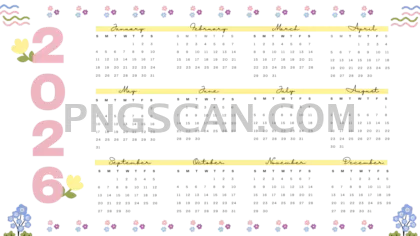
2026 Calendar Landscape Cutout — Wide Format, Clean & Ready to Use
About Calendar 2026
This 2026 calendar cutout 2640x1485 free download is the kind of image that saves you actual time. It's a full twelve-month layout spread across a wide landscape frame with natural, easy-on-the-eyes colors and a completely transparent background. No white box hiding behind it, no awkward edges — just the calendar itself, floating clean so you can place it on literally anything.
People who build slide decks at work grab files like this all the time because a yearly overview on one slide is gold. Bloggers pin it onto seasonal content roundups. Parents stick it into custom family planners they print at home. If you run a small shop, it works great layered onto a branded desktop wallpaper you hand out to customers — subtle but useful. You might also like Calendar 2026.
Quick practical tip: because the aspect ratio is roughly 16∶9, this cutout fits widescreen monitors and presentation templates almost perfectly. Drop it into Google Slides, Canva, or Photoshop and it snaps right into a standard HD canvas without awkward cropping. Bump the opacity down to about 30% and you've got a slick background calendar layer for any workspace graphic.
The file measures 2640×1485 pixels, which gives you plenty of resolution for both screen use and mid-size prints. The natural color palette keeps it versatile — it won't clash with most brand palettes. As always, this cutout is intended for personal and non-commercial creative projects, so double-check licensing if you plan to use it in something you're selling. Explore more Calendar 2026 PNG images in our gallery.
Frequently Asked Questions
Answers about this Calendar 2026 PNG — transparent background, size, download, and permitted use.
The 2640×1485 landscape format fits widescreen displays, presentation slides, and horizontal print layouts. It lets all twelve months sit side by side without scrolling, which is ideal for at-a-glance yearly planning.
Absolutely. The transparent background means there's nothing behind the calendar graphic. Place it over solid colors, gradients, photos, or textured backgrounds in any image editor and it blends right in.
At 2640×1485 pixels you can comfortably print up to roughly 8.8×5 inches at 300 DPI. That works well for desk-size prints or planner inserts. For a large wall poster you'd want something bigger, but for most everyday print jobs it holds up nicely.
Any app that supports PNG transparency will work — Photoshop, GIMP, Canva, Figma, Google Slides, even PowerPoint. Just import the file and it'll show up with no background, ready to position wherever you need it.
More from the Calendar 2026 Collection
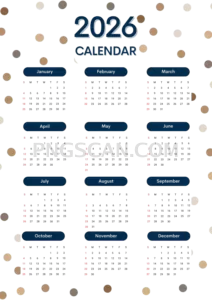
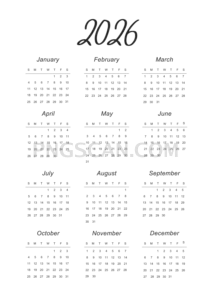
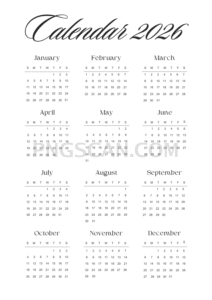
Related Transparent PNG Images

Steal a Brainrot 566x459

Steal a Brainrot – Square Cutout Edition

Steal a Brainrot 1024x1024

Steal a Brainrot – Compact Meme

Steal a Brainrot – Mini Sticker Format


