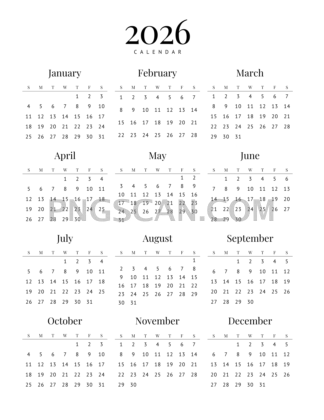
2026 Calendar Cutout — Clean Isolated Design
About Calendar 2026
This 2026 calendar png cutout 2318x3000 is one of those assets you didn't know you needed until you see it sitting perfectly inside your project. At 2318×3000 pixels, the resolution holds up beautifully whether you're placing it over a photo background, sliding it into a digital planner spread, or mocking up a wall calendar concept. The transparent background means zero cleanup — no white edges, no weird halos around the numbers.
Print-on-demand sellers often grab calendar PNGs like this to test layout ideas before committing to a final design. Social media managers use them for "year ahead" posts, and teachers drop them into classroom handouts so students can track assignments. Even if you just want a quick transparent background calendar on your desktop wallpaper, this cutout handles it without fuss. You might also like Calendar 2026.
One practical tip: because the aspect ratio is roughly 3:4 portrait, it pairs naturally with standard poster and flyer templates. Open your favorite editor, paste it over any textured or branded background, and adjust opacity if you want a subtle watermark-style effect. That trick alone can turn a plain social post into something people actually save. You might also like Calendar 2026 2640x1485.
The file measures 2318×3000 pixels in PNG format with full transparency. It's offered under a free license for personal and non-commercial creative work — just double-check usage terms if you plan to include it in anything sold commercially. Explore more Calendar 2026 PNG images in our gallery.
Frequently Asked Questions
Answers about this Calendar 2026 PNG — transparent background, size, download, and permitted use.
The 2318×3000 size gives you enough pixel density to print at roughly 7.7×10 inches at 300 DPI without quality loss. Smaller variants often look soft when printed or zoomed, but this one stays crisp for both digital and light print use.
Absolutely. The transparent background means there's nothing to erase. Drop it into Photoshop, Canva, or any editor and it sits cleanly on top of whatever's underneath — solid colors, gradients, or photos.
Yes. The portrait orientation and high resolution make it a natural fit for digital planner pages in apps like GoodNotes or Notability. You can resize it down without losing clarity since you're starting from a large source file.
It's available under a free license for personal and non-commercial projects. If you want to use it in a product you're selling, review the specific license terms on the download page to make sure you're covered.
More from the Calendar 2026 Collection
Related Transparent PNG Images

Steal a Brainrot 566x459

Steal a Brainrot – Square Cutout Edition

Steal a Brainrot 1024x1024

Steal a Brainrot – Compact Meme

Steal a Brainrot – Mini Sticker Format


