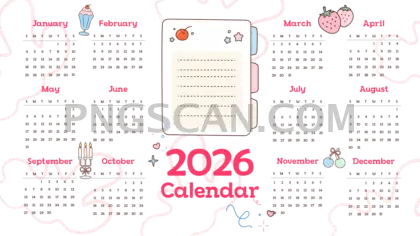
2026 Calendar Cutout in Landscape
About Calendar 2026
This calendar 2026 2400x1350 png is a landscape-format cutout that sits on a fully transparent background, so it blends right into whatever you're working on. The natural color palette keeps things clean and readable — no neon chaos, no visual clutter. Just a full-year 2026 layout that looks good on dark backgrounds, light backgrounds, and everything in between.
Bloggers building editorial calendars, small business owners prepping social media banners, and hobbyists designing custom desktop wallpapers all reach for this kind of asset. The landscape orientation makes it a natural fit for widescreen monitors, YouTube end screens, and presentation slides where portrait calendars would look awkward and cramped. You might also like Calendar 2026.
Quick tip: layer this PNG over a photo or gradient in your favorite editor and adjust the opacity slightly. You'll get a branded planner graphic in about two minutes — no design degree required. The transparent background cutout means zero white-box surprises when you place it.
The image measures 2400×1350 pixels, giving you plenty of resolution for HD displays without bloating your file size. It's offered for personal and non-commercial creative use — always double-check the license on the download page before using it in anything you plan to sell. Explore more Calendar 2026 PNG images in our gallery.
Frequently Asked Questions
Answers about this Calendar 2026 PNG — transparent background, size, download, and permitted use.
The landscape aspect ratio is designed for widescreen use cases like desktop wallpapers, presentation slides, and video overlays. Portrait versions won't fill those spaces without awkward cropping or stretching.
Absolutely. The transparent background means there's no white box around the calendar. Drop it onto any color, texture, or image and it blends cleanly.
Yes. At 2400×1350 pixels the month names, day labels, and date numbers are sharp and legible on HD screens. If you scale it down below roughly 1200 pixels wide, smaller text may start to lose clarity.
Any image editor that supports PNG transparency works — Photoshop, GIMP, Canva, Figma, Google Slides, and even basic tools like Paint.NET. No special plugins needed.
More from the Calendar 2026 Collection
Related Transparent PNG Images

Steal a Brainrot 566x459

Steal a Brainrot – Square Cutout Edition

Steal a Brainrot 1024x1024

Steal a Brainrot – Compact Meme

Steal a Brainrot – Mini Sticker Format


