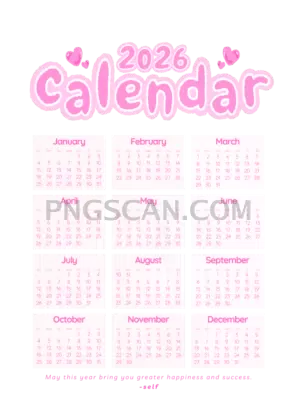
2026 Yearly Calendar Cutout in Portrait
About Calendar 2026
This calendar 2026 2170x3059 png is one of those grab-and-go assets you'll actually use more than once. It's a full twelve-month layout rendered as a clean cutout with a transparent background, so it sits perfectly on top of any color, texture, or photo you throw behind it. The natural color palette keeps things readable without screaming for attention — exactly what a calendar should do.
Teachers building classroom handouts, small business owners mocking up branded planners, parents putting together family organizers — this portrait-format calendar fits right in. Because it's a tall layout at 2170×3059 pixels, it works especially well in vertical compositions like phone wallpapers, A4 print designs, and social media story templates. You might also like Calendar 2026.
Here's a practical move: open your favorite editor, place this PNG over a branded background or a seasonal photo, and you've got a custom wall calendar or digital planner page in under five minutes. The transparent background means zero time wasted erasing white edges or fighting with blend modes.
At 2170×3059 pixels, the resolution holds up nicely for both screen use and moderate-size prints. The file is a standard PNG with alpha transparency. As with most clipart assets, stick to personal and non-commercial fan projects to stay on the safe side license-wise — always double-check usage terms before going commercial. Explore more Calendar 2026 PNG images in our gallery.
Frequently Asked Questions
Answers about this Calendar 2026 PNG — transparent background, size, download, and permitted use.
This version uses a portrait orientation at 2170×3059 pixels, which is slightly narrower than many of the larger portrait options. That makes it a great fit for phone wallpapers, vertical social posts, and A4-ratio print projects where you don't need massive file sizes.
Yes — at 2170×3059 pixels you can comfortably print it around 7×10 inches at 300 DPI, which is roughly A5 size. For larger prints you may notice some softness, so it's best suited for small-to-medium formats.
Open any image editor that supports layers — Canva, Photoshop, GIMP, or even Google Slides. Import your background first, then drag the calendar PNG on top. The transparent areas will automatically show whatever is beneath it.
For personal, educational, and fan projects it should be fine. If you plan to sell products featuring the calendar or use it in a commercial campaign, check the specific license terms first to make sure you're covered.
More from the Calendar 2026 Collection
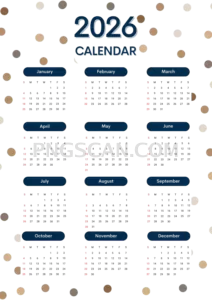
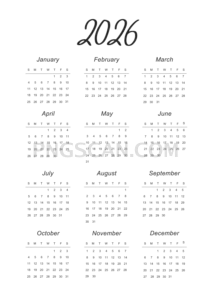
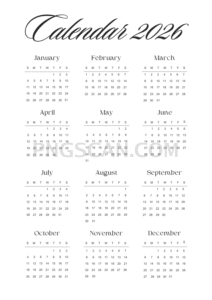
Related Transparent PNG Images

Steal a Brainrot 566x459

Steal a Brainrot – Square Cutout Edition

Steal a Brainrot 1024x1024

Steal a Brainrot – Compact Meme

Steal a Brainrot – Mini Sticker Format


