SUP Board — Clean Square Cutout, Zero
About SUP Board
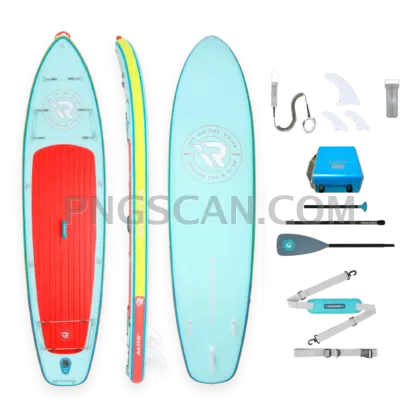
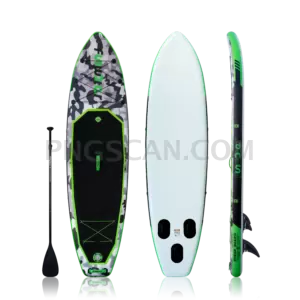
Some images make you work for it. This one doesn't. The sup board png 1200x1200 is a stand-up paddle board sitting on nothing at all — pure alpha transparency, cropped to a perfect square, ready to land wherever you need it. No lasso tool, no magic wand, no muttering at a jagged edge for twenty minutes.
Why 1200x1200 specifically? Because the square is the workhorse of the modern internet. Instagram feeds want it. Shopify product tiles want it. Marketplace listings, Pinterest cards, ad creatives, email hero blocks — all of them behave beautifully when you feed them a 1:1 image that's already big enough to downscale cleanly. At 1200 pixels a side you have room to shrink to 600, 400, or 150 without the board turning into mush, and you're still under the file-size limits most platforms enforce. You might also like SUP Board.
The transparency is where the real time savings hide. Put the board on a sand-toned banner, a gradient, a photo of a lake at sunrise, or plain white — the edges stay crisp and nobody sees a ghost rectangle around it. Layer it behind text, tilt it, mirror it, stack three in a row for a rental-fleet graphic. Because there's no baked-in background fighting your design, the board reads as an object rather than a photo you pasted in. You might also like SUP Board 1500x1500.
Practically speaking: rental shops use it for booking pages, gear blogs drop it into comparison tables, print-on-demand folks throw it on tote bags, and travel sites use it as a decorative cutout in the margins. Keep the original PNG untouched as your master file, export resized copies for each destination, and you've got one asset covering an entire summer's worth of paddle board content. Explore more SUP Board PNG images in our gallery.
Frequently Asked Questions
Answers about this SUP Board PNG — transparent background, size, download, and permitted use.
The PNG stores an alpha channel, which is a fancy way of saying certain pixels are recorded as empty rather than white. When you place the file over a colored background, photo, or pattern, that background shows through around the board's outline. Only PNG, WebP, and a few other formats support this — JPG cannot, which is why a JPG version would always come with a solid rectangle behind it.
Anywhere a 1:1 frame is the default. Think e-commerce product thumbnails, Instagram and Facebook posts, Pinterest pins, app icons and avatars, blog post feature images, and slide decks. It's also handy for print — stickers, tote bags, and flyer accents — because the transparent edge means the board can sit directly on your paper color or design.
Nope. Any tool that respects transparency will do, and most free ones do. Canva, Figma, GIMP, Photopea, Google Slides, PowerPoint, and pretty much every website builder will drop the PNG in with its background intact. Just avoid re-saving it as a JPG at any point in your workflow, or the transparency gets flattened to white and you're back to square one.
More from the SUP Board Collection
Related Transparent PNG Images

Dental Implant

Dental Implant 533x456

Dental Implant 600x600

Dental Implant 936x547

Dental Implant 800x600