Gen Z Word Sticker Cutout in Warm Natural Tones
About Gen Z #456
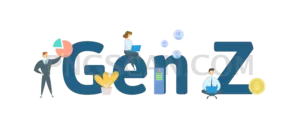
This gen z word sticker png takes a label that usually shows up in headlines and chart titles and gives it a physical feel instead. The lettering is layered and trimmed by hand rather than typed flat, so the edges wobble a little and the shapes catch the eye the way a sticker on a laptop lid does. The palette stays in sand, clay and warm off-white, which keeps it readable without shouting.
Marketing teams drop it into audience segment slides, editors use it as a chapter marker in youth culture explainers, and social managers park it in a corner of a reel or carousel as a topic tag. It also works in zine layouts, sticker sheets, tote and tee mockups, and mood boards where one word needs to carry the theme. Teachers and researchers building generational comparison decks get a header that reads faster than a text box. You might also like Gen Z.
Because the tones are muted, this cutout looks best on a background with some contrast: deep charcoal, forest green, denim blue, or a photo with a darker area to sit in. On cream or white it can wash out, so add a soft shadow or bump the canvas a shade or two darker. Rotating it five to eight degrees sells the sticker illusion better than leaving it perfectly level. You might also like Gen Z natural.
The file is a PNG with real alpha transparency, so the space around and inside the letters stays empty when you layer it in Figma, Canva, Photoshop, Premiere, CapCut or a slide tool. Keep it near its native size for the crispest edges; scaling up past double will soften the trimmed detail. Licensed free for personal and commercial projects, no attribution needed. Explore more Gen Z PNG images in our gallery.
Frequently Asked Questions
Answers about this Gen Z #456 PNG — transparent background, size, download, and permitted use.
It ships square with plenty of room for the two letters. Scaling down stays sharp; going much larger will blur the hand-trimmed edges, so use it as an accent rather than a full-width headline.
The natural sand and clay tones can blend into white or cream. Place it on a darker block, a photo, or add a subtle drop shadow so the letter edges stay defined.
Yes. The transparent background carries over into video editors, so you can pop it in as an overlay, animate a bounce or scale-in, and the empty area around the letters stays clear.
More from the Gen Z Collection
Related Transparent PNG Images
SUP Board
SUP Board 1500x1500
SUP Board natural
SUP Board 600x600
SUP Board 1000x1000