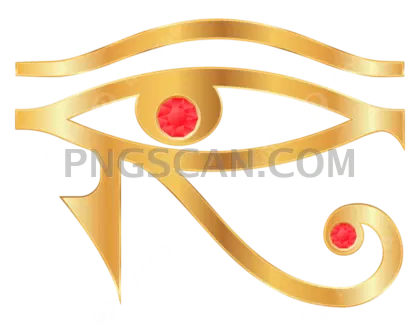
Eye of Rah Transparent Cutout —
About Eye of Rah #395
Most versions of this symbol float around the web as flat black outlines that look fine on white and fall apart everywhere else. This eye of rah transparent cutout 1200x934 keeps the warmer, natural tones intact — the sandy golds, the depth in the brow line, the soft shading around the teardrop marking. It reads like an object rather than a clip-art stamp, which matters a lot when you're placing it over photography or a textured background.
The alpha channel is the real selling point here. Edges are trimmed at the pixel level, so there's no white halo hiding in the semi-transparent pixels and no gray fringe that shows up the moment you place it on a dark hero section. Anti-aliasing is clean along the curves, which is where most cutouts of this symbol get lazy and leave you feathering by hand. You might also like Eye of Rah.
At 1200x934 you've got a landscape-leaning frame that suits the shape of the symbol without wasted empty space around it. That's enough resolution for a full-width web banner, a slide deck, a print-ready sticker at a modest size, or a texture layer in a 3D scene. Scale it down for a favicon or an app icon and it holds together; scale it up past double and you'll start seeing softness, so grab a vector if you need billboard sizing. You might also like Eye of Rah natural.
Common uses: album art and mixtape covers, tattoo reference mockups, museum and history blog headers, tabletop RPG handouts, mystical or wellness branding, and video overlays where you want the symbol to glow without a boxy background ruining the effect. Drop it into Figma, Photoshop, Canva, Premiere, Blender, or plain old HTML — a transparent PNG works the same everywhere. Explore more Eye of Rah PNG images in our gallery.
Frequently Asked Questions
Answers about this Eye of Rah #395 PNG — transparent background, size, download, and permitted use.
It means the background is genuinely empty, not white. The PNG carries an alpha channel, so every pixel outside the symbol is fully transparent and the edge pixels fade out smoothly. Place it on black, on a photo, or on a colored gradient and you'll see the artwork only — no rectangle, no halo, no manual masking required.
For small-format print, yes. At 300 DPI that works out to roughly 4 x 3.1 inches, which covers stickers, business cards, zine pages, and small inserts comfortably. For posters or apparel you'd want to either accept some softness or source a vector version, since upscaling a raster PNG past about 150 percent starts to reveal soft edges on the fine detail.
Flat silhouettes are easy to make and easy to spot. The shading here preserves the depth of the original carved-and-painted look, which makes it sit more believably in a composition. If you do want a pure black version, you can flatten it in seconds with a levels adjustment or a solid color layer clipped to the alpha — going the other direction, from silhouette back to shaded, is basically impossible.
The cutout is oriented as a single eye with the marking trailing to one side, matching the traditional layout of the symbol. Mirroring it horizontally is a one-click flip in any editor and looks perfectly natural — plenty of designers use a mirrored pair flanking a title or centered logo. Just be consistent if you're building a set, since a mismatched pair reads as a mistake.
More from the Eye of Rah Collection



Related Transparent PNG Images

SUP Board
SUP Board 1500x1500

SUP Board natural

SUP Board 600x600

SUP Board 1000x1000