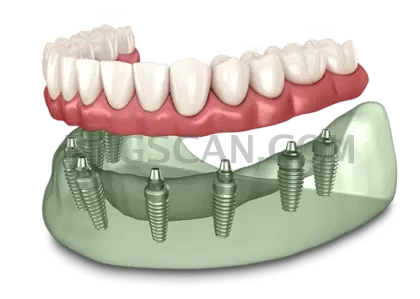
Dental Implant Cutout in Wide Format
About Dental Implant #322
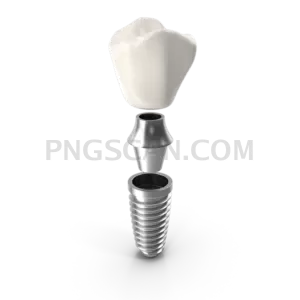
Most dental implant cutouts arrive square or portrait, which forces a crop the moment you place them in a widescreen layout. This dental implant png 1080x771 landscape cutout was trimmed the other way around: wider than it is tall, so the titanium post, abutment and crown sit across the frame the way they appear in a chairside diagram. The transparent background means the implant lands on whatever colour your deck or page already uses, with no rectangle edge showing up behind it.
Dental practices use files like this on treatment explanation pages, consent handouts and waiting-room screens. Lecturers building implantology modules drop it into slide decks beside bone-level illustrations. Product marketers for surgical suppliers place it in spec sheets and comparison tables, and content writers use it as an inline graphic in articles about single-tooth restoration, since the wide shape sits neatly between paragraphs without pushing text down a full screen. You might also like Dental Implant.
Because the source is 1080 pixels across, you have room to scale down without softening the metal threads. Placing it on a mid-tone or dark slide background reads better than pure white — the natural greys and ivory tones of the crown gain contrast. If you need a caption calling out the fixture, abutment and crown, leave the file at full width and add labels in your layout tool rather than baking text into the image. You might also like Dental Implant.
The PNG uses 8-bit alpha, so the edges around the screw threads stay clean at reduced sizes instead of showing a halo. Download it once and reuse it across slides, blog posts and printed material. Check the licence terms on the download page before commercial or clinical publication use. Explore more Dental Implant PNG images in our gallery.
Frequently Asked Questions
Answers about this Dental Implant #322 PNG — transparent background, size, download, and permitted use.
The file measures 1080 by 771 pixels, a landscape orientation roughly 1.4:1, which fits widescreen slide layouts and inline article blocks without cropping.
Yes. The alpha channel is fully cut out around the implant, so it can be placed over coloured slides, photographs or textured page backgrounds with no white box behind it.
Scaling down works well and keeps the thread detail sharp. For print, keep the placed size under about 9 cm wide to stay near 300 dpi; enlarging beyond the native width will soften the edges.
It is rendered in natural colours — metallic post and tooth-toned crown — so it reads as a realistic product view rather than a flat icon, which suits clinical and educational material.
More from the Dental Implant Collection

Related Transparent PNG Images

SUP Board
SUP Board 1500x1500

SUP Board natural

SUP Board 600x600

SUP Board 1000x1000