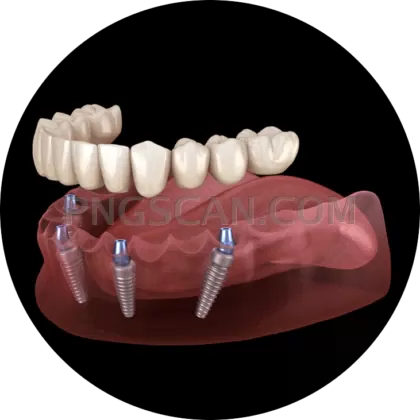
Dental Implant Square
About Dental Implant #304
Most implant cutouts arrive in awkward rectangles that force you to crop, pad, or wrestle with alignment for ten minutes before you've even started designing. This dental implant png 731x731 square transparent skips all of that. It's a perfect square, so it centers itself in social tiles, grid layouts, thumbnails, and icon slots without a single nudge. The alpha channel is genuinely clean — no ghost-gray halo, no leftover white rectangle that only shows up after you export.
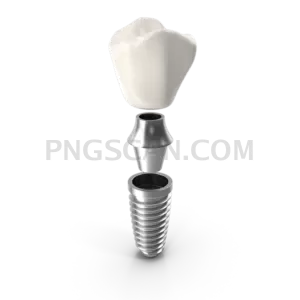
The image shows a titanium implant fixture with its abutment and crown, rendered with enough detail that the screw threads actually read as threads instead of a fuzzy smudge. At 731 pixels on each side it sits in a sweet spot: big enough to look sharp on retina displays and printed handouts at reasonable sizes, small enough that it won't bloat your page load or choke a slide deck with fifteen other assets on it. You might also like Dental Implant.
Dental clinics use it for treatment explainer pages, before-and-after graphics, and those 'what happens during placement' carousels that patients actually scroll through. Educators drop it into lecture slides and anatomy quizzes. Product teams layer it into app onboarding screens and comparison charts. Because the background is transparent, it works on a navy hero section, a soft mint card, or a stark white brochure without ever announcing that it was pasted in from somewhere else. You might also like Dental Implant.
Everything you'd expect from a proper transparent asset is here: soft anti-aliased edges that don't turn jagged when you scale down, consistent lighting so it matches other clinical imagery, and no watermark hiding in a corner waiting to embarrass you. Download it, drag it onto your canvas, and get back to the part of the job you actually enjoy. Explore more Dental Implant PNG images in our gallery.
Frequently Asked Questions
Answers about this Dental Implant #304 PNG — transparent background, size, download, and permitted use.
It means the image is 731 pixels wide and 731 pixels tall — a perfect 1:1 square. The specific number lands in a practical range for web and presentation use: sharp on high-density screens, light enough to load fast. Since it's square, it fits social post formats, avatar slots, and grid cells without any cropping on your end.
Truly transparent. The file carries a real alpha channel, so the area around the implant is empty rather than filled with white pixels. Place it over any color, gradient, photo, or texture and only the implant shows. If you open it in a viewer with a white interface it may look white — that's the viewer, not the file.
Scaling down is completely safe and stays crisp thanks to the anti-aliased edges. Scaling up works fine for modest increases, but pushing far beyond 731 pixels will start to soften the fine details like the screw threads. For large-format print, look for a vector version or a higher-resolution source instead.
Patient education pages, clinic websites, dental school lecture slides, infographics comparing implants to bridges or dentures, social media posts, app interfaces, printed brochures, and treatment plan documents. Basically anywhere you need a clean implant visual that drops onto a colored or photographic background without an ugly box around it.
More from the Dental Implant Collection

Related Transparent PNG Images

SUP Board
SUP Board 1500x1500

SUP Board natural

SUP Board 600x600

SUP Board 1000x1000