Vizsla Dog Cutout at
About Vizsla Dog #328
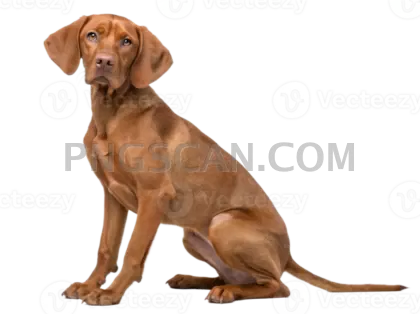
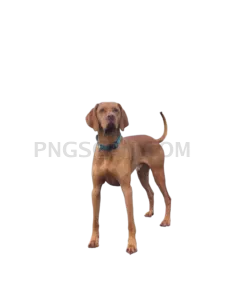
Most Vizsla cutouts you find online top out around 500 to 800 pixels wide, which is fine for a thumbnail and falls apart the moment you scale it up. This vizsla dog png 1307x980 is a landscape-orientation file with room to spare: the rust-gold coat, the long folded ears and the lean outline all hold their detail when you drop it into a layout at full size.
Groomers, breed clubs, dog-training studios and pet-supply shops tend to reach for a file like this first. It works as a hero image on a kennel website, a figure in a breed-comparison chart, a print on a tote or mug, a sticker sheet, a slide in a puppy-care presentation, or a cut-out element in a scrapbook or classroom worksheet about sporting dog breeds. You might also like Vizsla Dog.
Place the dog on a warm neutral or deep green background and the coat reads much better than it does on white, where the lighter fur edges can wash out. If you need it as a portrait crop, cut from the wide file rather than stretching it, and zoom to 400% along the ear and tail edges before exporting so you can catch any leftover fringe pixels. You might also like Vizsla Dog #279.
The alpha channel is baked into the PNG, so the checkerboard you see in Photoshop, GIMP, Figma or Canva means real transparency, not a white square. Flatten only at the final export step. The file ships under a free license for personal and commercial projects; credit is not required, though redistributing the raw cutout as your own stock is not the intent. Explore more Vizsla Dog PNG images in our gallery.
Frequently Asked Questions
Answers about this Vizsla Dog #328 PNG — transparent background, size, download, and permitted use.
Yes for small to mid-size print. At roughly 1307 by 980 pixels it holds up at about 4 by 3 inches at 300 DPI, which covers stickers, postcards, mugs and small posters. For a large wall print, upscale it first or place it as an accent rather than the full-bleed image.
It stays intact as long as you save back to PNG, WebP or a layered format like PSD. Saving as JPG removes the alpha channel and fills the empty area with white, so keep a PNG master and export JPG copies only when a platform requires it.
Yes. The free license covers commercial use, so shirts, prints, packaging and client work are all fine, and no credit line is required. Just do not repackage the untouched cutout and sell it as stock artwork of your own.
Load the PNG's alpha as a selection, then apply hue, curves or gradient adjustments as clipped layers above it. That keeps every edit inside the existing silhouette, so the soft ear and whisker edges stay soft instead of turning into a hard, cut-out outline.
More from the Vizsla Dog Collection
Related Transparent PNG Images
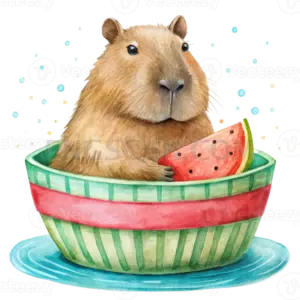
Capybara
Capybara 512x512

Capybara 651x326
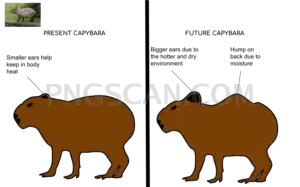
Capybara 960x600
Capybara 2500x2500