Capybara Transparent — Natural Color
About Capybara
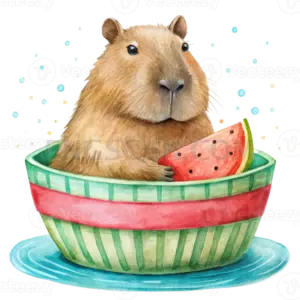
This is the compact capybara transparent png 512x512 variant of our natural-color capybara set. Same chill rodent, same soft brown coat, just shrunk down to a tidy square that loads fast and behaves itself in every layout you throw it into.
Why 512×512? It is the sweet spot. Big enough to stay crisp on retina screens at normal sizes, small enough that it will not bloat your page weight or make your slide deck wheeze. It is also the size a lot of tools quietly expect for icons, avatars, sticker packs, and sprite assets, so you can usually skip the resizing step entirely. You might also like Capybara.
The background is genuinely gone — real alpha transparency, not a white box pretending to be invisible. Layer the capybara over dark mode UI, a pastel gradient, a photo of a pond, or a bright orange slide, and the edges stay clean with no ghosty halo around the fur. You might also like Capybara 512x512.
Natural color means we kept the capybara looking like an actual capybara: warm brown, slightly scruffy, faintly smug. Perfect when you want the animal to read instantly without a stylized filter getting in the way. Use it in presentations, README files, Discord emotes, printed worksheets, mood boards, or anywhere a calm rodent improves morale. Explore more Capybara PNG images in our gallery.
Frequently Asked Questions
Answers about this Capybara PNG — transparent background, size, download, and permitted use.
A single PNG file measuring 512 pixels wide by 512 pixels tall, containing a natural-color capybara on a fully transparent background. No watermark, no white rectangle, no surprise padding.
You can, but PNGs are pixel-based, so pushing much past 512×512 will start to look soft. If you need a poster or large print, grab a bigger variant from the capybara set instead and keep this one for on-screen use.
Yes, that is one of its best jobs. 512×512 is a common icon and avatar requirement, and the square canvas means nothing gets awkwardly cropped. Some platforms will fill the transparency with their own background color, which usually looks fine.
It does. All three respect PNG alpha channels, so you can drop the capybara straight onto a colored slide with no background box. Just avoid saving or exporting to formats like JPEG, which flatten transparency to solid white.
More from the Capybara Collection


Related Transparent PNG Images

Vizsla Dog
Vizsla Dog #279
Vizsla Dog natural

Vizsla Dog #285

Vizsla Dog #288