Capybara with Transparent Background ()
About Capybara
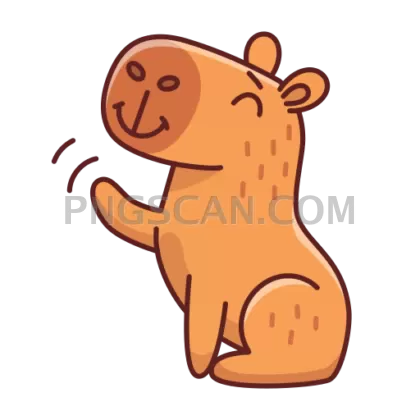
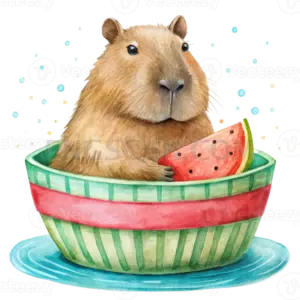
This capybara transparent background graphic is a single tidy cutout at 512x512, saved as a PNG with real alpha transparency. No white box, no gray checkerboard baked in, no halo of stray pixels around the fur. You drop it onto a dark hero section or a pastel slide and it just sits there looking calm, which is very on-brand for a capybara.
The color palette sticks to natural tones: warm chestnut brown across the body, slightly darker shading around the legs and muzzle, and soft highlights along the back. Because it avoids neon or heavy saturation, it plays nicely with almost any accent color you already use. Designers who work in muted or earthy systems tend to like it most, but it holds up fine next to bright UI blues too. You might also like Capybara.
512x512 is the sweet spot for a lot of practical jobs. It scales down cleanly to a 64px or 128px app icon, sits comfortably as an avatar or a sticker, and still has enough resolution to appear as a mid-size illustration in a presentation deck or a landing page mockup. If you need it much larger than roughly 700px wide, expect some softening, so treat it as a small-to-medium asset rather than a print-scale one. You might also like Capybara 512x512.
Common uses we see: placeholder mascots in Figma and Sketch files, decorative accents in pitch decks, Notion and Slack emoji, loading-screen art, blog post illustrations, and personal projects where a rodent the size of a beanbag chair makes the point better than a stock photo would. Because the background is already removed, there is no clipping path work waiting for you. Explore more Capybara PNG images in our gallery.
Frequently Asked Questions
Answers about this Capybara PNG — transparent background, size, download, and permitted use.
It is a 512x512 pixel PNG with a transparent alpha channel. Square aspect ratio, so it fits icon slots and avatar frames without cropping.
Scaling down works well and often looks sharper than the original. Scaling up past about 700px starts to reveal softness in the fur edges, since PNG is a raster format with no vector data to fall back on. For large hero graphics, use it as a reference and commission a vector version instead.
Yes in any tool that supports PNG alpha, which covers Figma, Canva, Photoshop, Illustrator, PowerPoint, Google Slides, and most web browsers. The one place transparency breaks is when you export or convert to JPG, which has no alpha channel and will fill the empty area with white or black.
It does. The cutout has clean edges without a light fringe, so the brown tones read clearly against dark navy, charcoal, or black. If you want extra separation on a very dark background, a subtle outer glow or a 1px lighter stroke helps, though it is usually not needed.
More from the Capybara Collection


Related Transparent PNG Images
Vizsla Dog
Vizsla Dog #279
Vizsla Dog natural
Vizsla Dog #285
Vizsla Dog #288